









In today’s visually-driven eCommerce landscape, a picture is worth more than a thousand words—it’s worth conversions. While text reviews build a foundation of trust, photo reviews provide the authentic, visual proof that turns hesitant shoppers into confident buyers. They show your products in real-world settings, used by real people, answering questions about fit, color, and quality in a way text alone never can. The challenge is motivating customers to take that extra step and share a photo.
Key Takeaways: How to Get Photo Reviews
- Simplify the Process: The most critical factor in acquiring photo reviews is a frictionless submission process. Implement mobile-friendly, in-mail forms so customers can upload photos directly from their email without navigating to your site.
- Offer Strategic Incentives: Move beyond simple discounts. Utilize a points-based loyalty program to reward customers for submitting photos. This strategy encourages repeat purchases and builds a stronger brand connection than a one-off coupon.
- Optimize Request Timing: Do not request a review immediately upon delivery. Analyze shipping times and typical product usage to send requests when the customer has had a genuine opportunity to experience and appreciate your product.
- Utilize Social Media: Launch contests and create branded hashtags to encourage users to share photos of your products on platforms like Instagram. Feature the best submissions on your product pages to create a powerful feedback loop.
- Refine Your Requests: Clearly and directly ask for photos in your review request emails. Explain the value their photo provides to other shoppers and use compelling visual examples to inspire them.
- Leverage a Powerful Reviews Platform: A dedicated reviews solution is essential. Platforms like Yotpo Reviews are engineered to streamline the collection of visual content with features like customizable email templates, AI-powered prompts, and sophisticated on-site galleries.
1. Streamline the Submission Process
To encourage a specific customer action, every point of potential friction must be eliminated. For photo reviews, the most significant barrier is often a complicated submission process. Customers are unlikely to navigate away from their email, log into an account, locate their purchase, and then upload a photo. Each additional step results in a lower completion rate.
The most effective solution is to bring the submission process directly to the customer.
How to Implement a Frictionless Submission Process:
- Use In-Mail Review Forms: This feature is pivotal for collection. An in-mail form allows customers to write a review and upload a photo directly within the email they receive, without ever leaving their inbox. This simple adjustment can dramatically increase review submission rates. Data indicates that in-mail review requests can generate significantly more reviews than traditional methods that redirect users to a website.
- Ensure Mobile Optimization: The majority of your customers will open your emails and take photos on their smartphones. Your review request emails and forms must be fully optimized for mobile devices. Buttons should be easy to tap, text must be legible, and the photo upload process must integrate seamlessly with their phone’s native camera and photo library.
- Maintain Form Simplicity: Avoid overwhelming customers with an excessive number of fields. Focus on the essentials: a star rating, a text review field, and a clear call-to-action to upload a photo. The less demanding the process feels, the higher the likelihood of completion.
A platform like Yotpo Reviews is specifically engineered for this purpose. It allows brands to send fully customizable, mobile-friendly emails with embedded review forms. This makes it exceptionally simple for a customer to use their phone to take a photo and attach it to their review in seconds, driving a much higher volume of visual user-generated content (UGC).

2. Offer Meaningful Incentives
While some customers will leave a photo review based on product satisfaction alone, many require additional motivation. Incentives are a powerful way to show appreciation and encourage customers to share their photos. However, the strategic value of an incentive varies.
A simple discount on a future purchase can be effective, but it often promotes a single action rather than long-term engagement. A more sustainable strategy is to integrate your review collection efforts with a comprehensive loyalty program.
How to Build an Effective Incentive Strategy:
- Implement a Points-Based System: Instead of a single-use coupon, reward customers with loyalty points for submitting a photo review. These points can be accumulated and redeemed for various rewards, such as discounts, free products, or exclusive access. This approach fosters repeat engagement and builds long-term loyalty.
- Offer Tiered Rewards: You can advance this strategy by offering more points for higher-value content. For example, a customer could receive 50 points for a text review, 100 points for a review including a photo, and 150 points for a video review. This gamifies the process and incentivizes customers to provide the most valuable forms of UGC.
- Communicate the Offer Clearly: Ensure your review request email explicitly states the reward for submitting a photo. A direct and effective subject line would be, “Share a Photo & Receive 100 Loyalty Points.”
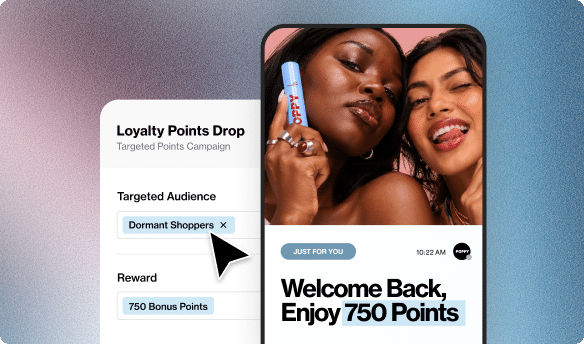
This is where the synergy between standalone products becomes apparent. For instance, a brand using Yotpo Loyalty can easily establish a campaign that automatically awards a specific number of points to any customer who submits a review with a photo through Yotpo Reviews. This creates a seamless experience for the customer and an automated, effective workflow for the brand. It elevates the act of leaving a review from a simple transaction into a meaningful step in a longer customer journey.

3. Time Your Review Requests Perfectly
Timing is a critical element of a successful review collection strategy. A request sent too early means the customer has not had a chance to use the product. A request sent too late means the initial product excitement has diminished. To maximize the probability of receiving a photo review, you must send your request when the customer is most engaged and satisfied.
How to Perfect Your Timing:
- Analyze Your Data: Examine your shipping and delivery data to determine the average time it takes for a product to reach your customer. Your review request should be triggered after the product has been successfully delivered.
- Consider the Product Type: The optimal timing can vary significantly by product category.
- Fashion & Apparel: For clothing, a request sent 3-5 days after delivery allows the customer time to try the item on and assess its fit.
- Skincare & Cosmetics: These products require a longer trial period to demonstrate results. A review request sent 14-21 days after delivery is often more effective.
- Home Goods & Electronics: For items used immediately, a request sent 2-3 days after delivery can capture the initial product enthusiasm.
- Automate the Process: Manually tracking orders and sending requests is not a scalable solution. Use a reviews platform that enables you to set up automated email triggers based on delivery status or a custom time delay. This ensures every customer receives a request at the optimal moment without manual intervention.
4. Be Direct and Specific in Your Ask
Often, the most effective solution is a direct one. If you want photo reviews, you must ask for them specifically. Many brands make the mistake of sending generic review requests that fail to mention photos, and as a result, customers may not even realize that uploading a photo is an option.
How to Craft a Compelling Ask:
- Use a Clear Call-to-Action (CTA): Your email subject line, headline, and buttons should all explicitly mention photos. Instead of “Leave a Review,” use a CTA such as “Share a Photo and Review.”
- Explain the “Why”: Briefly explain the value of their photo. For example, “Your photos help other shoppers see how our products look in real life!” This makes the customer feel they are contributing to a community and helping others, which is a powerful motivator.
- Provide Inspiration: Show, don’t just tell. Include examples of high-quality customer photos in your review request email. This not only demonstrates what you are looking for but also provides social proof that other customers are participating. A small gallery of customer photos within the email can spark creativity and encourage submissions.
Tools like Yotpo Reviews offer AI-powered features such as Smart Prompts. These prompts can intelligently ask customers to elaborate on specific aspects of their experience or to add a photo, nudging them to provide more detailed and visually rich feedback. For example, if a customer gives a 5-star rating to a dress, a smart prompt might ask, “That’s great to hear! Could you share a photo to show other shoppers how it fits?”
5. Leverage the Power of Social Media
Your customers are already sharing photos of their favorite products on social media. The strategy is to channel this existing behavior and direct it toward your product pages. Social media contests and campaigns are an excellent way to generate a high volume of visual UGC in a short period.
How to Run a Successful Social Media Campaign:
- Create a Branded Hashtag: Select a unique and memorable hashtag for your campaign, such as #[YourBrand]InTheWild. Encourage customers to use this hashtag when they post photos of your products on platforms like Instagram.
- Run a Contest or Giveaway: Offer an attractive prize for the best photo submission. This could be a significant gift card, a bundle of your best-selling products, or a unique experience. The incentive must be compelling enough to motivate participation.
- Promote the Campaign Extensively: Announce your contest on your website, in your emails, and across all your social media channels. Ensure the rules are clear and the entry process is simple.
- Curate and Display the Content: This is the most critical step. Use a UGC platform to collect all the photos submitted with your hashtag. Then, obtain permission from the users to feature their photos in a gallery on your product pages. This not only provides valuable social proof but also closes the loop and demonstrates that you value your community’s contributions.
Displaying these authentic social photos on your site can have a massive impact. Shoppers who engage with UGC on a brand’s site convert at a significantly higher rate.
6. Create a Post-Purchase Experience
The customer journey does not conclude upon delivery. A thoughtful post-purchase experience can build a stronger relationship with your customers and increase their likelihood of leaving a review. Instead of only sending transactional order confirmations and review requests, create a communication series that adds value.
How to Build a Post-Purchase Flow:
- Send Helpful Content: After the product is delivered, send an email with usage tips, care instructions, or styling advice. This demonstrates that your interest in their experience extends beyond the sale.
- Conduct a Personal Check-In: A few days later, send a simple, plain-text email that feels personal. Inquire how they are enjoying the product and if they have any questions. This personal touch can make a significant difference.
- Integrate the Review Request: After you have provided this value, you can make your request for a review. The ask will feel more natural and less transactional. You can frame it as an opportunity for them to share their tips and experiences with other customers.
This strategy focuses on building a relationship, not just requesting a favor. A customer who feels valued and supported is far more likely to invest the time to write a thoughtful review and share a photo.
7. Highlight and Feature Your Customers
Customer recognition is a powerful motivator. When a customer takes the time to submit a high-quality photo, celebrate it. Featuring customer photos prominently on your website, social media channels, and in marketing emails is an effective way to encourage more submissions.
How to Showcase Customer Content:
- Create On-Site Galleries: Dedicate a section of your homepage or create a specific “Community” page to showcase the best customer photos. This creates an inspiring and authentic lookbook for your products.
- Feature a “Photo of the Week”: Select one outstanding customer photo each week to feature on your Instagram or in your email newsletter. Be sure to tag and credit the customer (with their permission). This not only rewards the individual but also signals to your entire audience that you are paying attention.
- Use Photos on Product Pages: This is the most impactful placement. A gallery of customer photos on a product page provides immediate social proof at the point of decision. Shoppers can see how the product looks on different body types, in different lighting, and in various settings.
When other customers see that you are actively featuring and celebrating user-submitted photos, it creates a powerful incentive for them to participate.
8. Run a Review Generation Campaign
A dedicated campaign can accelerate your review collection. If you are launching a new product or find that existing products lack sufficient visual UGC, a targeted review generation campaign can provide a quick and significant boost.
How to Execute a Campaign:
- Segment Your Audience: Begin by creating a list of your most loyal customers or those who have recently purchased the target product. These individuals are the most likely to respond.
- Craft a Compelling Offer: For a limited time, offer a special incentive for submitting a photo review for a specific product. This could be a higher number of loyalty points, a free gift with their next purchase, or a larger discount than you typically offer.
- Create a Sense of Urgency: Frame the campaign as a limited-time event. Use language like “This week only” or “For the next 48 hours” to encourage immediate action.
- Follow Up: Send a reminder email to those who have not responded a day or two before the campaign concludes. A gentle nudge can often be the final prompt someone needs to participate.
A focused campaign can quickly populate your product pages with fresh, authentic photos, providing immediate value and social proof for new shoppers.
9. Choose the Right Review Platform
Underpinning all of these strategies is the technology you employ. Attempting to manually request, collect, manage, and display photo reviews is an inefficient and often unsustainable task. A best-in-class reviews platform is not just a tool; it is a strategic asset that automates the entire process and provides the features necessary for success.
A leading solution should offer a powerful, standalone suite of tools purpose-built to help brands collect and leverage high-quality UGC. The platform’s focus should extend beyond the quantity of reviews to their quality and their ultimate impact on conversion rates.
Key strengths to look for include features that make the submission process effortless. Signature capabilities like in-mail review forms allow customers to submit photos directly from their email, drastically increasing submission rates. The platform’s AI-powered Smart Prompts can intelligently encourage users to add photos and elaborate on key topics, resulting in richer, more helpful reviews. Finally, the platform must offer highly customizable and visually appealing on-site widgets and galleries to strategically display this visual content, turning customer feedback into a powerful conversion tool.
Choosing the right partner is crucial. You need a solution that not only simplifies the collection of photo reviews but also provides the tools to analyze their performance and display them in a way that builds trust and drives sales.
Conclusion
Acquiring photo reviews is a matter of strategy, not luck. By simplifying the process, offering the right incentives, and making a compelling request, you can transform your customer base into a powerful source of authentic visual content. These photos do more than enhance your product pages—they build trust, answer critical questions, and give shoppers the confidence they need to complete their purchase. Implement these proven strategies today, and observe how your customer photos elevate your conversion rates.
FAQs: How to Get Photo Reviews
Why are photo reviews more impactful than text reviews?
Photo reviews offer a layer of authenticity and context that text alone cannot provide. They allow potential buyers to see how a product looks and functions in a real-world environment, used by someone just like them. This visual proof helps answer critical questions about size, color accuracy, fit, and quality, which significantly reduces purchase anxiety and builds a much higher level of trust.
What’s the best incentive to offer for a photo review?
While discounts are common, the most effective incentive is often loyalty points. A points-based reward system encourages repeat engagement and helps build a long-term relationship with the customer. It feels less like a one-time transaction and more like a reward for being part of the brand community. For example, you could offer 50 points for a text review and 100 points for a review that includes a photo.
How many photos should I ask for in a review?
It is best to keep the request simple. Allow customers to upload multiple photos if they wish, but focus your primary call-to-action on obtaining just one great photo. A prompt like “Share a photo of your new product!” is less intimidating than asking for a full photoshoot. Most review platforms allow for multiple uploads, so motivated customers will have the option to share more.
Should I moderate photo reviews before they go live?
Yes, moderation is crucial. You must ensure that all submitted photos are appropriate, relevant to the product, and of high quality. A robust reviews platform will offer comprehensive moderation tools, including AI-powered filters for profanity and spam, as well as a manual approval queue. This allows you to maintain brand safety while ensuring the authenticity of your reviews.
Can I use customer photos in my marketing materials?
Generally, yes, but you must obtain permission first. Most review submission forms include a clause in the terms and conditions where the customer grants you the right to use their submitted content for marketing purposes. It is always a best practice to be transparent about this. If you wish to feature a specific photo in a major campaign, reaching out to the customer directly is an excellent way to build goodwill.
What if I get a negative review with a photo?
A negative review with a photo can be an opportunity. First, it demonstrates transparency and proves that you do not censor feedback, which builds trust. Second, the photo provides valuable context for the issue. You should respond publicly and professionally to the review, addressing the customer’s concerns and offering a solution. This showcases excellent customer service to both the unhappy customer and every future shopper who reads that review.
How can I encourage high-quality photos?
In your review request email, provide brief guidance. You can include a short list of tips, such as “For the best shot, use natural light” or “Show us how you’ve styled your new jacket!” You can also feature examples of excellent customer photos in the email to provide a clear visual reference for what you are seeking.
What’s the ideal file size or format for photo uploads?
Your reviews platform should handle the technical aspects of this automatically. A well-designed system will accept common file formats (like JPEG, PNG) and automatically resize and optimize images for web display. The goal is to make the process as easy as possible for the customer, so they should not have to worry about file specifications. From a user experience perspective, the upload process should be fast and seamless.
How long does it take to see results from these strategies?
You can see an increase in photo review submissions almost immediately after implementing strategies like in-mail review forms and clear incentives. Building a substantial library of visual UGC takes time, but by automating the process and consistently applying these tactics, you should see a significant and steady flow of new photo reviews within a few weeks.
Is it better to ask for a photo review via email or SMS?
Email remains the primary channel for detailed review requests because it provides more space for context, instructions, and visual examples. However, SMS can be very effective as a follow-up or reminder. An ideal strategy often involves both: an initial, detailed request via email, followed by a concise reminder via SMS a few days later if the customer has not responded.
How do I measure the success of my photo review strategy?
Success can be measured through several key metrics. Track your review request conversion rate (the percentage of requests that result in a submitted review) and the percentage of reviews that include a photo. More importantly, measure the impact on business outcomes. Analyze the conversion rate of shoppers who interact with your on-site photo galleries versus those who do not. A higher conversion rate for engaged shoppers is a clear indicator that your visual UGC is driving sales.
What if my products aren’t very “visual”?
Even for products that do not seem inherently visual, such as supplements or software, photos can still be powerful. A customer could share a photo of the product on their desk, in their gym bag, or as part of their daily routine. These “lifestyle” shots help customers visualize how the product fits into their own lives. You can guide them with prompts like, “Show us how you’ve integrated our product into your daily routine!”
Can I automate the entire process of getting photo reviews?
Yes, automation is key to a scalable and successful strategy. A platform like Yotpo Reviews allows you to automate nearly every step: sending timed review requests after delivery, using in-mail forms for easy submission, filtering submissions with AI-powered moderation, and automatically publishing approved reviews to the correct product pages in sophisticated on-site galleries. This frees you to focus on strategy while the technology handles the day-to-day execution.











 Join a free demo, personalized to fit your needs