










Search engines tend to favor pages that stay current and answer the questions shoppers actually type. Product reviews help on both counts. Every review adds fresh wording to a product page, along with proof that a real buyer used the item.
What follows is a practical playbook for ecommerce teams. You will see how to turn real shopper voices into search visibility and cleaner structured data. You will also learn to tell what helps from what only looks busy.
Key takeaways
- Yotpo reports that just ten reviews on a product page can lift conversion by 53%. Those same reviews also give crawlers fresh wording to read.
- Shoppers who interact with reviews convert at a rate 161% higher than those who don’t, according to Yotpo.
- Customer photos matter. According to Yotpo, shoppers are 137% more likely to buy after they see one.
- An automated review summary makes a busy page easy to skim. Brands using Yotpo’s AI Reviews Summary have seen an average conversion increase of 5.4%.
- On-page Q&A catches long-tail questions. Yotpo has reported that shoppers who ask questions on-site are 30% more likely to buy.
- Valid schema markup with aggregate ratings can help your stars appear in standard Google results. It may help in Google AI Overviews too.

Why product reviews shape modern search engine optimization
Picture a Tuesday morning when an SEO lead opens Google Search Console and finds product impressions down sharply overnight. A theme update had quietly stripped structured data from thousands of product pages. One small deploy had left a large gap in the catalog.
That scene shows how fragile visibility gets when markup drifts away from real product proof. Search systems read more than a brand’s own copy. Shopper wording and fresh text can show what a page really offers. Clean structured data helps machines read that proof without guessing.
Search engines also work to filter out machine-written spam. First-party proof, such as reviews from verified buyers, can show that a product is real and that people actually use it.
Search has moved past simple keyword counting and now leans toward matching meaning. A store can rarely win a tough query on the maker’s description alone. That same copy sits on dozens of rival sites, word for word.
Reviews bring in the vocabulary your copywriters would never think of. Buyers use odd phrasings and name real use cases, and they notice small details that a brand team misses. Those are often the exact words other shoppers later type into Google.
Compare a short catalog blurb with three hundred detailed comments from real owners. The comments give a crawler far more to work with. Pages with honest, lived-in feedback often have an edge for that reason.
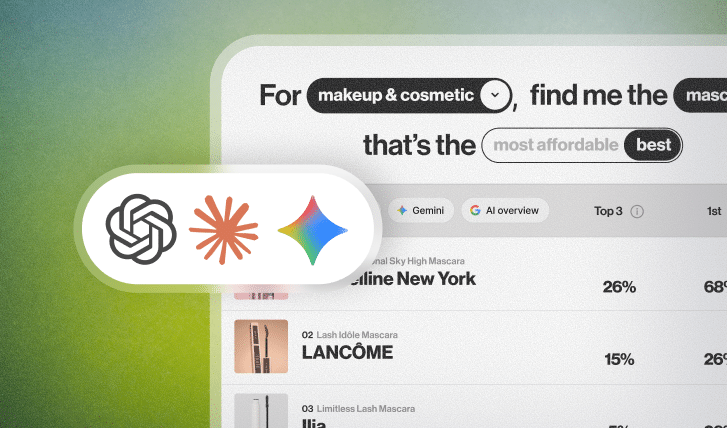
Search is also spreading past the classic blue links. Some shoppers now ask a chat-based AI tool for help when they research a purchase. The habit may keep growing.
When a shopper asks a conversational question, AI engines can draw on many signals. Shopper language, such as sizing tips and notes on how a product holds up, may be among them. A brand that never collects reviews has less of that language to offer.
On-page feedback can support search in three main ways: structured data, broader topic coverage, and better shopper engagement. With the right setup, ordinary orders can turn into a steady source of organic traffic over time.
Our framework: five stages of review optimization for organic search
Steady search growth from reviews rarely happens by accident. It takes a clear, step-by-step approach. Collect reviews without the right setup, and all that value can stay trapped in JavaScript a crawler never opens.
Our framework for review-driven search growth has five stages. They take feedback from collected to captured, rendered, indexed, and amplified across search:
- Stage 1: Schema structure and rich snippets. Use clean JSON-LD markup so your pages can earn star ratings in the results.
- Stage 2: Indexable content and long-tail keywords. Render your feedback so crawlers can read it, whether it loads client-side or server-side.
- Stage 3: Review velocity, freshness, and QDF. Build habits that keep refreshing product pages with new text.
- Stage 4: Category pages and internal structure. Spread proof across collections and hubs so the whole site gets stronger.
- Stage 5: Multi-channel syndication and AI visibility. Send verified proof out to search and shopping channels, and on to answer engines.
Stage 1: technical schema structure and rich snippets
What it involves
Schema turns the feedback on your page into code a search engine can read without guessing. Schema.org defines standard types for products, aggregate ratings, and reviews.
When Google finds valid markup on a product page, it may show rich snippets. These include star ratings, the review count, and sometimes price and availability, right in the results.
Snippets with stars make a plain listing easier to notice. A flat result is easy to skip, while a listing with stars catches the eye. Better snippets can lift click-through even when your rank has not moved.
How to execute
Start with Schema.org data in JSON-LD, not the older Microdata or RDFa. Google recommends JSON-LD, and it keeps your metadata separate from your layout code. That can mean fewer rendering errors when the page gets read.
Nest your markup inside the Product entity, with the aggregateRating object tied to that one item rather than floating free.
Include the core properties, such as @context, @type, name, image, description, sku, and offers. In the aggregateRating block, give real values for ratingValue and reviewCount. Add bestRating (usually 5) and worstRating (usually 1) if your scale needs them.
To feature individual reviews, nest them in a review array that carries the author, the publish date, the review text, and that item’s rating.
A big, messy catalog makes hand-built markup hard to maintain. Even with a tool in place, spot-check your markup after each theme change. Yotpo Reviews syndicates your reviews to Google Shopping through its official partnership with Google, which can add search visibility beyond your own pages. You can dig into the setup and the plans on the pricing page.
Test the result before you ship it. Google’s Rich Results Test shows whether your markup can be read. The enhancement reports in Google Search Console show how it performs over time. Run both checks after every theme update, since one template change can remove markup from many pages at once.
Common pitfalls
The most common mistake is marking up site reviews as if they were product reviews. Google is strict about this, and its guidelines warn against pasting your overall brand score onto single items.
Get this wrong and you may face a manual action for structured data. The penalty can remove rich results from the affected pages.
Mismatched numbers trip people up too. Say your widget shows 42 reviews at 4.6 stars, but a caching delay leaves your JSON-LD claiming 50 at 4.8. A crawler may notice that gap. Keep your caching layers in sync, so the metadata matches the page whenever Google comes through.
Stage 2: indexable content and long-tail keywords
What it involves
This stage is about making your customer text fully readable and searchable for crawlers. Reviews are written the way people talk, which is also the way people search.
Your marketing copy leans on polished brand words. Shoppers write about real problems, body types, and weather. Some even mention how the box felt to open.
That extra vocabulary opens up long-tail visibility. A query like “waterproof winter boot wide toe box” or “matte lipstick that doesn’t dry cracked lips” rarely matches a corporate product title. It sits much closer to how real shoppers describe things, down in your review section.
On many product pages, reviews make up a real chunk of the indexable text. Lock that text behind client-side scripts a crawler never runs, and search engines may miss all of it.
How to execute
Serve plain HTML to the bots with server-side rendering (SSR) or static pre-rendering. Modern crawlers can run JavaScript. Even so, relying on client-side rendering alone can slow down how soon your content gets processed.
Crawlers can place pages in a rendering queue until they have spare capacity. That can delay how soon fresh reviews get read, sometimes by a long stretch.
Put topic filters and keyword search right above your review list. People can then jump to the subject they care about. Good sorting helps as well. Yotpo notes that Smart Sorting, which shows the most helpful reviews first, can boost conversion by up to 8%.
Add a Q&A section next to your usual review forms. The questions people ask tend to mirror the phrases they type into Google. A Yotpo article on community Q&A notes that shoppers who ask questions on-site are 30% more likely to buy. One feature can help discovery and conversion at once.
Make a short audit part of your release checklist. Pick five product pages with plenty of reviews and inspect each one in Search Console. Then search the rendered HTML for a sentence from a recent review. If that sentence is missing, search engines may be seeing an empty widget. Your developers should look at how it loads.
Common pitfalls
Pagination built on raw JavaScript events can hide your older reviews from crawlers. If clicking “Page 2” fires a script but never changes the URL or offers a crawlable <a href>, bots may stop at your first few comments. That matters for people too, since Yotpo notes that only 5% of customers move beyond the first page of reviews.
Don’t park your review text in an <iframe> served from another domain. Search engines may credit that content to the third-party domain serving the iframe, not to your product page. Double-check that your widgets inject content straight into your own pages.
Stage 3: review velocity, freshness, and query deserved freshness
What it involves
Pages that show ongoing activity tend to look more current to search engines. Query Deserved Freshness (QDF) is the idea that some searches call for newer results. A page that keeps adding fresh content may compete better for them.
A page sitting on fifty reviews from four years ago looks stale. A rival that adds ten fresh ones every week looks alive.
Review velocity is just the pace at which your catalog gathers real feedback over time. Steady collection can signal that the product is still on sale and still being judged by real people.
That steady stream may also bring bots back more often, so updates to your copy and stock levels can get picked up sooner.
Fresh reviews help in another way. Tastes shift, and recent feedback shows shoppers that this year’s version still holds up.
How to execute
Automate your post-purchase review requests, and run them on more than one channel. A well-timed email reaches customers while the product is fresh in mind. Send it soon after delivery.
Make leaving a review effortless. Drop a one-click form right into a mobile-friendly email. Smart Review Prompts can also guide buyers to describe how they used the product. The result is richer text for long-tail searches.
Time the request to the product. A phone case may be ready for a review a few days after delivery. A skincare serum needs a few weeks of use. Setting different delays by product type can improve the quality of what shoppers write. Add one polite reminder for anyone who does not reply.
Where you have shopper consent, add a text message to the schedule too. A text arrives on a personal phone, so it can stand out from one more email in a crowded inbox. If your submission rates are slow, a direct mobile channel is worth testing.
Once those cadences run automatically, the gains can build across your catalog. The first reviews matter most. Yotpo reports that ten reviews on a product page can increase conversion by 53%. Ten reviews also give a crawler more text to read than a bare product description does.
Common pitfalls
Asking too early can quietly kill your velocity. If the request lands three days before the box shows up, the customer just deletes it. Wire your automation to carrier tracking webhooks, so the ask only fires once delivery is confirmed.
Never trade money, discounts, or contest entries for positive reviews. The Federal Trade Commission treats paid-for positive reviews as a serious problem. Search engines may also discount feedback that looks manipulated. If you do offer any incentive, ask for honest feedback of every kind and disclose the incentive openly. Clean, unbiased collection helps you avoid both compliance trouble and ranking trouble.
Stage 4: category page optimization and internal structure
What it involves
Category pages and collection hubs are big entry points for high-volume, non-branded searches. Phrases like “organic cotton sheets” or “ergonomic office chairs” often carry real buying intent.
The trouble is that many category pages struggle to rank. There is barely any unique text beyond product titles and prices.
Weaving customer feedback into those layouts can fix the thin-content problem. Add aggregate ratings and a few shopper quotes, and the page gains fresh, relevant proof without clutter.
It helps your internal linking too. Review snippets on a category page can link to the products behind them. Those links build clear paths that walk crawlers through your high-margin product lines.
How to execute
Show star ratings under each product thumbnail on your category pages. Google rarely shows rich-snippet stars on these pages. Visible stars can still help shoppers decide what to click, and they may keep more visitors browsing.
Put photo galleries from real shoppers on your top category pages. Those photos close the gap between glossy studio shots and how the product actually looks at home. Yotpo reports that shoppers can be up to 137% more likely to buy after seeing a customer photo.
Drop a curated review carousel near the bottom of your main collection pages. Feature quotes that answer real questions about that category, such as how durable the material is or how the sizing runs. It adds unique, indexable text to pages that might otherwise look thin.
Start with the category pages that already earn the most impressions in Google Search Console. Small gains there can add up. Pull quotes from reviews of the products listed on that page. Refresh them every few months so the page keeps changing.
Common pitfalls
Stuffing category templates with heavy, unoptimized review widgets can drag down site speed and your Core Web Vitals. Scripts that block the main thread can hurt your Interaction to Next Paint (INP) and Largest Contentful Paint (LCP) scores. Weak performance may also hurt your mobile rankings in tough categories.
Ask your engineers to choose lightweight widgets that load asynchronously. Lazy-load the photo galleries and any off-screen carousels. Then the key elements can render right away for mobile shoppers and crawlers alike.
Stage 5: multi-channel syndication and AI visibility signals
What it involves
Organic visibility reaches well past the browser now. It stretches into shopping engines and partner platforms, and increasingly into AI answer tools.
Multi-channel syndication means sending your verified reviews out to retail partners and search platforms. Your social proof then shows up wherever people discover products.
Send that feedback to a channel like Google Shopping, and your listings may become eligible for Seller Ratings and Product Ratings. These can appear in paid and organic placements. They can widen your footprint and send qualified traffic back to your own storefront.
Syndication may matter for AI answers too. Generative AI tools can draw on reviews from many places when they respond to a shopping question. Verified reviews that appear on several trusted sites may give those tools more to work with. The engines do not publish exactly how they weigh sources. Treat this as one more reason to spread your proof widely, not as a guarantee.
How to execute
Connect your reviews to Google Merchant Center, so they can flow into Google Shopping. Google uses verified review feeds to fill in Product Ratings across the organic grid and Shopping Ads. To be eligible for star ratings, keep an active feed of verified feedback that meets Google’s format rules.
Push your verified feedback out to supported retail partners and social platforms. Yotpo’s review syndication includes destinations such as Target, Macy’s, Shop App, and TikTok Shop. The more places your proof appears, the more credible you look. Real reviews placed where shoppers already browse can support conversion. Results will vary by brand and channel.
Turn on automated summaries across your product pages. A long wall of reviews can overwhelm a mobile shopper who just wants the gist. The AI Reviews Summary widget boils that sentiment down into something scannable. Brands using it have seen an average conversion increase of 5.4%. It can also add a fresh block of on-page text for crawlers, as long as the summary renders in your HTML.
Common pitfalls
Route your feedback through an unauthorized aggregator, and your feed may get rejected. Google runs strict checks to keep duplicate content and unverified reviews out of its shopping results. Stick with approved Google review partners, so your feed stays accepted.
Avoid syndicating reviews for products that lack an exact identifier match, such as a GTIN, UPC, or ISBN. Without a standard identifier, the matching logic can attach feedback to the wrong variant. That confuses shoppers and search engines alike.
Check your feed reports in Google Merchant Center on a regular schedule. Rejected or unmatched reviews often trace back to missing product identifiers. Product names that differ between your store and your feed can cause trouble too.
Measuring success: search performance metrics for review programs
To see the organic impact of your review program, watch two things: the technical search metrics and your on-site conversion data. Together, they let an SEO lead show leadership a clear return on the software spend. Executives tend to act on numbers like that.
Build your regular reporting around a handful of core indicators:
- Rich snippet impression share. This shows how many of your organic impressions include star ratings, per the search appearance report in Google Search Console.
- Organic click-through rate (CTR). Track the CTR change on your product pages before and after stars appear.
- Long-tail keyword rankings. Count how many non-branded, conversational queries send traffic to your product pages.
- Crawl frequency and freshness. Watch how often bots crawl your product URLs, which your server logs can show.
- On-site review engagement rate. Measure the share of organic visitors who read reviews or browse customer photos.
- Review conversion lift. Compare conversion between people who engage with feedback and people who don’t. According to Yotpo, shoppers who interact with reviews convert at a rate 161% higher than those who don’t. Your own gap will differ.
Check these on a set schedule to spot gaps in your catalog. When a product gets plenty of impressions but few clicks, it may be missing its stars. That is your cue to run a focused review-request campaign.
Set a baseline before you change anything. Record three months of impression and click data, along with review counts, for a group of pages. Then compare the same group after your changes. Note site-wide events such as sales or redesigns, since they can blur the picture. Many things influence search results, so look for a trend rather than reading too much into a single month.
“High-performing organic search strategies treat customer reviews as dynamic structured data assets, not static website text. When you align verified customer voices with technical JSON-LD schema, search engines may reward that transparency with higher click-through rates and more durable organic visibility.”
Ben Salomon, Growth Marketing Manager at Yotpo
Frequently asked questions
Why are product reviews important for search engine optimization (SEO)?
Reviews build trust and give shoppers the social proof they want right before they click “buy”. They show real people how a product fits and how well it holds up.
For your brand, that feedback can lift visibility in classic search and in newer chat-based surfaces. It can also raise conversion and show you how to make the product better. Yotpo Reviews helps you gather and display those high-quality reviews across your site and your syndication channels.
What percentage of consumers read online reviews before buying a product?
Yotpo reports that up to 98% of consumers read online reviews before they buy. That tells you how much weight social proof carries. A Yotpo study also found that 94% of purchases are for products with a 4- or 5-star rating. It pays to put your best reviews front and center.
What types of reviews can I collect with Yotpo?
Yotpo Reviews collects product reviews and site reviews through customizable forms, plus photos and videos from real shoppers. You can gather answers through Q&A sections and ask follow-up questions after purchase. Each format helps build trust and move products with content-rich feedback.
Can I collect photo and video reviews with Yotpo?
Yes, you can. Yotpo Reviews lets customers add photos and videos right alongside their written reviews.
That visual content gives the next shopper a clear read on quality and fit. It goes a long way toward building the confidence to buy. You can feature it in galleries across your site to make pages more engaging.
Does Yotpo support review moderation and filtering?
Yes, it does. Yotpo Reviews gives you the right tools to manage reviews, by hand or with automatic approvals.
You get spam detection and profanity filters, plus AI-suggested helpful comments. You can also review anything suspicious before it goes live, which helps keep things honest.
How do I request reviews from my customers?
Yotpo Reviews automates mobile-friendly review requests that go out by email, triggered by each order. You customize the templates in a drag-and-drop editor, and in-mail forms make responding painless. You can also send reminders to shoppers who have not replied.
Can I syndicate my reviews to Google Shopping or Facebook?
Yes, you can. Yotpo Reviews syndicates to third-party platforms like Google Shopping, Facebook, TikTok Shop, and Target. That puts real feedback next to your products on outside channels. It can build trust and extend your visibility beyond your own storefront.
Does Yotpo support on-site widgets for displaying reviews?
Yes, it does. You get customizable on-site widgets such as review carousels, star ratings, review highlights, and an AI-powered Reviews Summary. They embed on your homepage, category pages, or product pages. Smart sorting and variant filtering come built in, along with media support, so shoppers can find the reviews that help them.
How customizable are the review request emails?
You have a lot of control here. The drag-and-drop editor lets you adjust the branding and layout of each template, and the templates are mobile-friendly. You can personalize emails with order and product details and localize them across languages.
Can Yotpo collect reviews in multiple languages?
Yes, it can. Yotpo Reviews supports collecting and showing reviews in multiple languages. Customers can write feedback in whatever language they prefer. The widgets also offer real-time translation, and shoppers can filter reviews by country for a local feel.






 Join a free demo, personalized to fit your needs
