








What is a Content Management System (CMS)?
Have you ever wondered how websites like your favorite online store or a cool blog get all their words, pictures, and videos online? It might seem like magic, but there’s a clever tool behind it called a Content Management System, or CMS for short. Think of a CMS as a digital playground where you can build and organize all the fun stuff you want to share on the internet, without needing to be a computer wizard.
In simple terms, a CMS is a computer program that helps you create, manage, and change the content on your website. It’s like having a special desk where you can write stories, upload photos, and arrange everything exactly how you want it to appear on your website, and then publish it for everyone to see. It takes away the complicated parts of building a website, letting you focus on what you want to say or sell.
Many businesses, big and small, use a CMS to run their online stores, share important news, or showcase their products. It’s especially helpful for stores that sell things online because it makes it super easy to add new products, update descriptions, and connect with customers. Without a CMS, creating and updating a website would be a lot like building a house with just a hammer and nails – possible, but much harder and slower!
What Does a CMS Do, Exactly?
A CMS isn’t just one big tool; it’s a collection of many helpful features all working together. It’s designed to make the whole process of running a website much smoother. Let’s break down some of the cool things a CMS can do for you and your online presence.
Making Websites Without Code
One of the biggest superpowers of a CMS is that it lets you create and manage a website without knowing a special computer language called code. Imagine you want to draw a picture. You don’t need to understand how the paper was made or how the colors were mixed. You just pick up your crayons and start drawing! A CMS works similarly for websites. It has easy-to-use tools that let you drag and drop elements, type text, and upload pictures with just a few clicks. This means almost anyone can build a professional-looking website.
For someone running an online store, this is fantastic. You can add new products, write enticing descriptions, and update prices without having to call a web developer every time. It puts the control right into your hands, letting you be agile and responsive to your customers and market trends.
Organizing Your Content
Think about a library. It has thousands of books, but you can always find the one you’re looking for because they’re all organized by genre, author, and topic. A CMS does the same thing for your website’s content. It helps you keep all your pages, blog posts, images, and videos neatly sorted and easy to find.
This organization is super important for several reasons:
- It makes it easier for you to manage everything as your website grows.
- It helps your visitors find what they’re looking for quickly.
- It helps search engines like Google understand what your website is about, which can help more people find your site.
Having a well-organized website structure means that when a customer lands on your page, they can easily navigate from a product page to a review section, or from a blog post about new trends to a related product collection.
Working Together
Most websites aren’t built or managed by just one person. A CMS makes it easy for a team to work together on a website. Different people can have different roles and permissions. For example, one person might write all the blog posts, another might upload all the product photos, and a third person might be in charge of making sure everything looks great before it goes live. The CMS keeps track of who does what, making teamwork smooth and efficient.
This collaborative environment is really important for businesses, especially as they grow. It ensures that content creation and publication can happen quickly and efficiently, with multiple people contributing their unique skills.
Why Do Businesses Use a CMS?
Businesses love using a CMS because it solves many common problems they face when trying to have a strong online presence. It’s not just about making a website; it’s about making a website that works hard for their business and their customers.
Easy Updates and Changes
Imagine if every time you wanted to change a price or add a new item to your store, you had to hire someone to rewrite parts of your physical store’s walls. That would be silly, right? With a traditional website built from scratch, making changes can sometimes feel like that. But with a CMS, updating your website is as easy as changing text in a document. You can add a new product, update your “About Us” page, or post a new blog article in minutes.
This flexibility is crucial for eCommerce businesses that need to react quickly to sales, new inventory, or even just fixing a typo. It means your website can always be fresh and accurate for your customers.
Saving Time and Money
Because a CMS simplifies the process of building and managing a website, businesses save a lot of time. They don’t have to spend weeks coding a new page from scratch. This saved time also means saved money, as they don’t need to hire expensive developers for every small change or new feature. A CMS often comes with built-in tools and templates, so you can get started quickly and keep costs down.
This efficiency helps businesses focus their resources on other important areas, like improving their products or providing great customer service.
Keeping Everything Consistent
When you visit a brand’s website, you expect it to look and feel the same across all its pages. This consistency builds trust and makes the brand feel professional. A CMS helps maintain this look and feel by using templates. These templates ensure that all your pages have the same colors, fonts, and layout, creating a smooth and professional experience for your visitors.
For an online store, consistent branding makes the shopping experience more enjoyable and helps customers recognize your brand instantly. This also extends to the information you present, ensuring that your product descriptions and customer support details are uniform across your site.
Growing Your Online Store
A good CMS is like a stretchy sweater – it can grow with you. As your business gets bigger and you want to add more products, more pages, or new features, your CMS can usually handle it. Many CMS platforms have “extensions” or “plugins” that you can add to give your website new abilities, like connecting with social media, handling customer inquiries, or even helping you understand how visitors use your site. This ability to expand ensures your website can keep up with your business as it thrives. Learning more about how to boost your ecommerce conversion rate can show you just how vital a flexible website is.
Types of CMS: Which One is Right for You?
Just like there are different types of cars for different needs, there are different types of CMS platforms. Each one has its own way of doing things, and some might be a better fit for a specific kind of website or business.
Self-Hosted CMS
With a self-hosted CMS, you download the software onto your own computer or a special server that you rent. It’s like buying a house and then decorating it exactly how you want. You have a lot of control over everything, from the way it looks to the extra features you add. WordPress is a very popular example of a self-hosted CMS that many websites use.
The main benefit here is flexibility and ownership. You can customize almost anything, and there are thousands of plugins and themes available to add any feature you can imagine. However, it also means you’re responsible for things like security updates and keeping the software running smoothly.
Cloud-Based CMS (SaaS)
A cloud-based CMS, often called SaaS (Software as a Service), is like renting an apartment. You don’t own the building, but you get to live in it and use all its amenities. The CMS software lives on the internet, and you access it through your web browser. The company that makes the CMS takes care of all the technical stuff like updates, security, and making sure it’s always working. Shopify is a well-known example that many online stores use.
This option is great for businesses that want simplicity and don’t want to worry about technical maintenance. It’s often easier to get started and comes with customer support to help you out. However, you might have less control over deep customizations compared to a self-hosted option.
Headless CMS
This one sounds a bit spooky, but it’s just a different way of thinking about content! A headless CMS is a CMS that focuses only on storing and organizing your content, like a brain without a body. It doesn’t care how your content looks or where it’s displayed. Instead, it sends your content to different “heads” – which could be your website, a mobile app, smart speakers, or even digital billboards. It’s becoming popular for businesses that want their content to appear everywhere, not just on a traditional website.
While a bit more technical, headless CMS solutions offer incredible flexibility for businesses looking to reach customers on every platform imaginable, providing a seamless experience no matter where your audience engages with your brand.
Here’s a quick look at the main differences:
| Feature | Self-Hosted CMS | Cloud-Based CMS (SaaS) | Headless CMS |
|---|---|---|---|
| Control & Flexibility | Very High (You manage everything) | Medium (Less technical hassle) | High (Content sent anywhere) |
| Technical Knowledge Needed | More (Setup, updates, security) | Less (Provider handles tech) | More (Integration with “heads”) |
| Ease of Getting Started | Medium | Very Easy | Medium to Advanced |
| Ideal For | Custom projects, blogs, large sites | Small to medium online stores, quick setup | Multi-platform content, future-proof |
Key Features to Look for in a CMS
When you’re choosing a CMS for your business, it’s like picking a new superhero for your team. You want to make sure they have all the right powers to help you succeed! Here are some important features to consider.
User-Friendly Interface
The CMS should be easy to use and understand. You don’t want to spend hours figuring out how to add a picture or write a blog post. A good CMS has a clear and simple design, making it intuitive for anyone on your team to manage content. An easy-to-use interface means you can spend less time learning the system and more time creating great content for your customers.
Customization Options
Every business is unique, and your website should reflect that. A good CMS offers plenty of ways to customize your site’s look and feel, from changing colors and fonts to adding special sections. This might come through themes, templates, or the ability to add custom code if you have a developer.
Security
Just like you lock your doors at night, your website needs to be secure. A CMS should have strong security features built in to protect your website from hackers and keep your customer’s information safe. This includes regular updates, secure logins, and sometimes even tools to help you recover if something goes wrong.
Mobile-Friendly Design
Lots of people use their phones and tablets to browse the internet and shop online. Your website needs to look great and work perfectly on these smaller screens. A good CMS will automatically make your website responsive, meaning it adjusts its layout to fit whatever device someone is using. This ensures a smooth shopping experience for all your customers, no matter how they access your store.
SEO Tools
SEO stands for Search Engine Optimization, and it’s all about helping search engines like Google understand your website better so more people can find you. A good CMS will have built-in tools that help you do things like write good page titles, add descriptions for your pages, and create clean website addresses. These tools are super important for getting more visitors to your site and attracting potential customers. For online stores, even showing customer reviews can help with SEO, as platforms like Yotpo Reviews help get your Google Seller Ratings and stars to show up in search results, making your business stand out.
Integrations and Extensions
Your website probably needs to do more than just display content. It might need to connect with other tools, like accounting software, shipping services, or platforms that help you connect with your customers. A powerful CMS allows you to easily add these integrations or extensions (sometimes called plugins) to expand your website’s abilities. For instance, connecting your CMS with tools that help you gather valuable customer feedback, like Yotpo Reviews, or building strong customer relationships through rewarding experiences with Yotpo Loyalty, can dramatically boost your customer engagement and sales. These integrations are essential for creating a comprehensive and effective online store.
How a CMS Helps Your Customer Relationships
At its heart, a CMS is a tool for communication. And in business, communication is key to building strong relationships with your customers. Let’s explore how a CMS can be a secret weapon for keeping your customers happy and coming back for more.
Creating Engaging Experiences
A CMS empowers you to create rich and engaging content that draws customers in. Think about a product page that isn’t just text but also includes beautiful images, videos showing the product in action, and maybe even a quick guide on how to use it. A CMS makes it simple to publish all these different types of media, creating a more immersive and informative experience for shoppers. When customers have a great experience on your site, they’re more likely to trust your brand and make a purchase. Providing an excellent eCommerce customer experience is crucial, and a CMS helps you deliver it.
Gathering Customer Feedback
Knowing what your customers think is incredibly valuable. Do they love a product? Do they have suggestions for improvement? A CMS provides the framework where you can invite and display customer feedback. For example, your CMS helps you easily embed and show off customer reviews and ratings right on your product pages. Tools like Yotpo Reviews are specifically designed to help businesses collect and manage this User-Generated Content (UGC). Once collected by Yotpo Reviews, your CMS ensures these authentic voices are prominently displayed, helping new customers make informed decisions and building immense trust in your brand. Understanding the consumer decision-making process with UGC highlights just how powerful this is.
Building Customer Loyalty
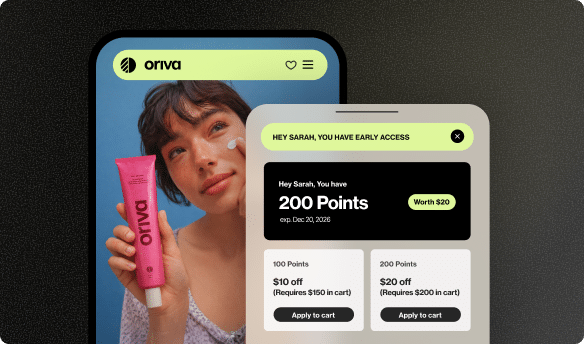
Keeping customers coming back is a goal for every business, and loyalty programs are a fantastic way to do that. Your CMS plays a big role in communicating and managing these programs. You can use your CMS to create dedicated pages explaining your loyalty program, showcase different reward tiers, or even integrate widgets that display a customer’s points balance and available rewards. Yotpo Loyalty is a powerful software that helps businesses build these engaging rewards programs. Your CMS then acts as the stage, allowing you to publish and promote your loyalty program’s details, encourage repeat purchases, and foster a strong community around your brand. To dive deeper, explore the best loyalty programs and how they integrate.
Personalizing the Customer Journey
Imagine walking into a store where the staff already knows your favorite items and suggests things you’d truly like. That’s the power of personalization online. While the CMS itself isn’t doing the deep personalization, it provides the foundation. By using a CMS, you can create different content for different types of customers. For instance, if someone has purchased from you before, your CMS can help display content related to their past purchases. When combined with data from tools like Yotpo Reviews and Loyalty, a CMS can help deliver a more tailored and relevant experience, making customers feel truly understood and valued, which is key for improving customer retention.
The Future of CMS and Online Commerce
The world of online business is always changing, and so are Content Management Systems. They are constantly evolving to meet new demands and take advantage of new technologies. Here’s a peek at what’s happening and what’s next.
AI and Personalization
Imagine a CMS that can automatically write product descriptions, suggest blog topics, or even show different versions of your website to different visitors based on what it thinks they’ll like best. That’s where Artificial Intelligence (AI) is headed with CMS. AI will make personalization even more powerful, helping businesses create highly targeted and effective content experiences without manual effort.
Headless CMS Growth
As mentioned earlier, headless CMS solutions are gaining popularity. Their ability to deliver content to any device or platform makes them perfect for the modern world where people interact with brands across websites, apps, smartwatches, and more. This trend will continue as businesses seek to provide a consistent and seamless experience everywhere their customers are.
Seamless Customer Experiences
Ultimately, the goal of evolving CMS technology is to create even more seamless and enjoyable experiences for customers. This means tighter integrations with other business tools, smarter content delivery, and more intuitive ways for businesses to manage their online presence. The focus will always be on making it easier for customers to find what they need, trust what they see, and feel valued by the brands they interact with.
Choosing the Right CMS for Your Business
So, how do you pick the best CMS for your business? It’s an important decision, and thinking about a few key things can help you make the right choice.
Consider Your Needs
First, think about what you need your website to do. Are you mostly publishing blog posts? Do you have an online store with hundreds of products? Do you need a lot of fancy features, or something simple and straightforward? Make a list of your “must-have” features. If selling products and building strong customer relationships are top priorities, then a CMS that easily integrates with powerful tools like Yotpo Reviews for collecting user-generated content, and Yotpo Loyalty for creating reward programs, should be high on your list.
Think About Growth
Where do you see your business in a few years? Will you have more products, more customers, or want to expand into new areas? Choose a CMS that can grow with you. It should be flexible enough to add new features or handle more traffic as your business succeeds. A scalable CMS prevents you from having to rebuild your website from scratch later on, saving you headaches and resources.
Conclusion
A Content Management System is a powerful and essential tool for anyone wanting to build and manage a website, especially for online businesses. It simplifies the technical stuff, letting you focus on creating great content and connecting with your customers. From letting you update your website easily to helping you build loyalty programs with tools like Yotpo Loyalty, a CMS empowers you to run a successful online presence without needing to be a coding expert.
Whether you’re starting a small online shop or running a large eCommerce business, understanding what a CMS is and what it can do for you is the first step toward building a strong, engaging, and flexible online home for your brand. With the right CMS and smart tools like Yotpo Reviews and Yotpo Loyalty working together, you’re well on your way to creating an amazing experience for your customers and growing your business.





 Join a free demo, personalized to fit your needs