








What is a Vulnerability Scan?
Imagine your favorite online store, maybe where you buy cool toys or clothes. It’s like a big house on the internet, full of important stuff like product pictures, prices, and even your parents’ payment details. Just like a real house needs strong locks and no broken windows to keep things safe, an online store needs to be super secure too. This is where something really important called a vulnerability scan comes in.
Think of a vulnerability scan as a digital detective. Its job is to look for any weak spots or cracks in a website’s “walls” or “locks” that a bad guy (we often call them hackers) might try to use to sneak in. It doesn’t catch a hacker in the act. Instead, it finds those weaknesses and points them out. That way, they can be fixed before trouble starts. Keeping a website safe isn’t just a good idea; it’s absolutely necessary for any business wanting to earn and keep your trust online.
What Exactly Does “Vulnerability Scan” Mean?
Alright, let’s break it down simply. A “vulnerability” is just a fancy word for a weakness or a flaw. It’s something that could potentially be used by someone with bad intentions. For example, leaving your front door unlocked is a vulnerability. A “scan” is like quickly checking something over. So, a vulnerability scan is an automatic process. It uses special tools to quickly look at a computer system, network, or website for weaknesses we already know about.
It’s important to know that a vulnerability scan is different from a penetration test. While both look for security weaknesses, they work in different ways. A vulnerability scan is like an X-ray or a quick health check-up. It scans for common problems and tells you where they are. It’s fast and covers a lot of ground. It might say, “Hey, this window looks a bit flimsy!”
On the other hand, a penetration test is more like actually trying to break into the house using those flimsy windows. It’s a hands-on, simulated attack by good hackers (who act like bad guys) to see if they can actually get in and what damage they could do. So, the scan finds potential issues, and the penetration test confirms if those issues are truly exploitable. Both are vital, but the scan is often the first step. Why? Because it’s quicker and cheaper to find many potential problems.
Why Do Websites Need These Scans?
Every website, especially ones where you interact with businesses, handles important information. Let’s look at why vulnerability scans are so crucial:
- Protecting Your Information: When you shop online, you or your parents might type in names, addresses, or even credit card numbers. These are sensitive pieces of information. A vulnerability scan helps make sure the website’s defenses are strong. It protects this data from falling into the wrong hands. It’s like putting your valuables in a super strong safe.
- Stopping Hackers: Hackers are always looking for ways to cause trouble. They might want to steal information, mess up a website, or even shut it down. By finding weaknesses before hackers do, businesses can fix them. This makes it much harder for cybercriminals to succeed.
- Keeping Things Running Smoothly: A hack can cause a lot of chaos. A website might go offline, or parts of it might stop working right. This is bad for everyone! Regular scans help prevent these kinds of problems. They ensure the website is always open for business and running smoothly for its customers.
- Building and Keeping Trust: If an online store gets hacked, people might stop trusting it. They might worry about their information and choose to shop somewhere else. By actively looking for and fixing weaknesses, businesses show they care about their customers’ safety. This helps build and maintain trust. And trust is super important in the online world, isn’t it? It’s the foundation of any good relationship.
So, a vulnerability scan isn’t just a technical task. It’s a basic way for businesses to protect themselves and, more importantly, protect the people who use their services.
How Does a Vulnerability Scan Work? A Simple Journey
Let’s imagine our digital detective, the vulnerability scanner, on its mission. Here’s a simple look at the steps it takes:
- Finding the Doors and Windows: First, the scanner needs to know what it’s looking at. It maps out the website or system. It identifies all the active parts, like web pages, databases, and any other services running. It’s like walking around a house and listing all the entrances and exits.
- Checking for Weaknesses: Once it knows what’s there, the scanner starts comparing what it finds against a huge list of known vulnerabilities. This list is like a book of all the “bad locks,” “rusty hinges,” or “cracked windows” that hackers often try to use. The scanner automatically tests for these known issues without actually trying to cause damage. For example, it might check if a piece of software is an old version that has known security holes.
- Making a List: After its checks, the scanner creates a detailed report. This report is like a checklist of all the weaknesses it found. It usually rates them by how serious they are – maybe a “critical” issue like a wide-open door, or a “low” issue like a slightly loose floorboard.
- What Happens Next: This is the most crucial part! The report goes to the website’s IT or security team. Their job is to understand the findings and then fix each weakness. This could mean updating software, changing settings, or writing better code. Once fixed, they might run another scan to make sure everything is truly secure. It’s an ongoing cycle of checking and fixing.
This process is usually very quick for a single scan. It often takes minutes to a few hours, depending on the size of the system being checked.
Different Kinds of Vulnerability Scans
Just like there are different ways to check a house, there are different types of vulnerability scans, each with a specific goal:
External Scans: Looking from the Outside In
Imagine someone trying to break into your house from the street. An external scan works similarly. It’s done from outside the organization’s network, just like a hacker would try to access a public website. These scans look for weaknesses in things exposed to the internet. This includes web servers, firewalls, and routers. They aim to find problems an attacker could use without ever being inside the company’s network.
Internal Scans: Checking the Inside
Once someone is inside a house, they might look for weaknesses in the internal doors or windows between rooms. An internal scan happens from within a network. This type of scan helps find weaknesses an attacker could use if they somehow got past the outside defenses. Or, it could catch problems if someone inside (like an unhappy employee) tried to cause trouble. It’s all about protecting what’s inside.
Authenticated vs. Unauthenticated Scans
Some scans are done without any login details, just like a stranger walking past your house (that’s unauthenticated). Others are given specific user accounts or passwords, much like you entering your own home with your key (that’s authenticated). Authenticated scans can often find more in-depth weaknesses because they can access more parts of the system. Think of it like seeing more of your house once you’re inside with a key.
Web Application Scans: Focus on Websites
Many businesses rely on websites and web applications (like online shopping carts or customer portals). Web application scans specifically focus on these. They look for weaknesses in the code and how the website works. This is super important for online stores where people are always interacting with the website’s software.
What Kinds of Weaknesses Do Scans Look For?
Our digital detective has a long list of usual suspects it looks for. Here are some common ones, explained simply:
- Weak Passwords: This is a big one! If a website’s admin area or a user account has a super simple password like “123456” or “password,” it’s like leaving the front door wide open. Scanners check for default passwords or ones that are very easy to guess.
- Outdated Software: Imagine your phone’s operating system or an app you use. Companies regularly release updates to fix bugs and, very importantly, to patch security holes. If a website uses old software that hasn’t been updated, it might have known weaknesses that hackers already know how to use. Scans check software versions to spot these.
- Misconfigurations: Sometimes, software isn’t set up quite right. This leaves unintended gaps in security. It’s like accidentally leaving a window slightly open when you thought you closed it completely. Scanners can find these improper settings.
-
Common Website Weaknesses:
- SQL Injection: This sounds complex, but it’s basically when a hacker tricks a website’s database into showing information or doing something it shouldn’t. They do this by cleverly typing certain commands into input boxes, like a search bar.
- Cross-Site Scripting (XSS): This happens when a hacker puts harmful code onto a website. That code then runs in other users’ web browsers. It could be used to steal small bits of info (like cookies) or trick users.
Scans are built to find these specific types of coding mistakes.
The Importance of Doing Scans Regularly
You wouldn’t just check your house for broken locks once and then forget about it forever, right? The world of online security is always changing. New threats appear all the time, and new ways to fix them are discovered. That’s why vulnerability scans aren’t a one-time thing; they need to be done regularly.
Think of it like getting regular health check-ups for your website. Here’s why staying on top of it is so important:
- New Threats Emerge: Hackers are always inventing new tricks. What was secure yesterday might have a new weakness found today. Regular scans help catch these newly identified problems quickly.
- Software Changes: Websites and their software are always being updated, or new features are added. Each change can potentially create new weaknesses. Frequent scans ensure these changes don’t accidentally open up new security holes.
- Keeping Things Safe All the Time: Regular scanning helps create a continuous cycle of finding and fixing issues. This means businesses are always working to keep their digital doors and windows as secure as possible. It makes it much harder for attackers to find a way in.
Building Trust and Security in Online Business
A secure website is the basic starting point for any online business. Customers need to feel completely safe when they browse, share information, or buy things. If they worry about their data, they won’t stick around. It’s like feeling safe and welcome in a physical store; if you don’t feel secure, you won’t shop there.
But security is only one part of building trust. Besides strong digital protections, trust also grows through clear communication and an amazing experience for customers. This is where businesses go beyond just protecting data. They actively talk with their customers, listen to what they say, and reward their loyalty.
When customers feel heard and valued, and when their good experiences are clear for others to see, it creates a powerful chain of trust. This makes a business not just safe, but also truly welcoming and dependable. It’s about having strong protection combined with real connections.
Strengthening Customer Relationships with Reviews and Loyalty
So, we’ve talked a lot about keeping websites safe. Now, let’s talk about how businesses connect with their customers and build a strong community around their brand – all while relying on that secure foundation. Two powerful tools for this are customer reviews and loyalty programs.
The Power of Customer Reviews
Think about when you want to try a new video game or a new restaurant. What do you do? You probably ask your friends or look up what other people think, right? That’s exactly how customer reviews work for online businesses. They are real opinions and experiences shared by people who have already bought a product or used a service. These reviews act like digital word-of-mouth, helping new shoppers decide if something is right for them.
For businesses, collecting and showing these reviews means they are open and honest. It shows they are confident in what they offer and let customers speak freely. When a website displays many real reviews, both good and not-so-good, it makes the business seem more honest and trustworthy. It helps shoppers feel more comfortable buying because they can see what others have experienced.
Many successful online brands use special tools to make collecting and displaying reviews easy and effective. Yotpo offers a powerful solution for businesses to collect and display customer reviews, helping shoppers make informed decisions and building a strong sense of trust. Learn more about collecting customer reviews with Yotpo.
Building Bonds with Loyalty Programs
Have you ever collected stamps for a free ice cream, or gotten a special treat for being a regular customer at a store? That’s the big idea behind loyalty programs. They are made to thank customers for choosing a business again and again. Instead of just buying once and leaving, customers are encouraged to come back because they know they’ll get special rewards.
These programs can offer points for every purchase. These points can then be used for discounts, special products, or unique experiences. It’s a way for businesses to say, “Thank you for being a valued customer!” By making customers feel appreciated, loyalty programs turn people who buy once into dedicated fans. These fans feel a real connection to the brand. This creates a stronger relationship and encourages repeat business, which is great for any online store.
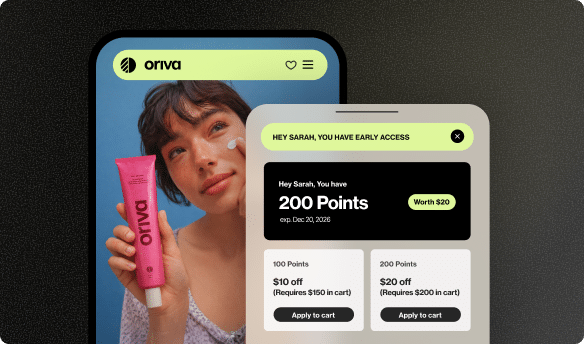
Businesses can use robust loyalty software, like the one offered by Yotpo, to create exciting programs that reward customers. This turns one-time buyers into long-term fans. Discover how Yotpo’s loyalty software can strengthen customer relationships.
Reviews and Loyalty Working Together
Imagine a customer finds a product through glowing reviews, decides to buy it, and then joins a loyalty program to earn points. This shows how reviews and loyalty can work together. Reviews help build initial trust and encourage the first purchase. Loyalty programs then keep customers coming back for more, building a deeper, lasting relationship. Both add a lot to the overall customer experience and brand success, especially when everything happens on a secure online environment.
What Happens After a Scan? Fixing the Problems (Remediation)
Finding problems is only half the battle. The real work begins after the vulnerability scan is done and the report is ready. This important next step is called remediation. It simply means fixing the weaknesses that were found.
- Understanding the Report: The security team first carefully reads the scan report. They look at each weakness, how serious it is (how dangerous it is), and what could happen if someone used it. The report often suggests how to fix each problem.
- Prioritizing Fixes: Not all weaknesses are equally dangerous. The team will fix the most critical issues first – the “wide-open doors” – before moving on to less serious ones. They decide this based on how easy a weakness is to use and how much harm it could cause.
- Applying Patches and Updates: For problems like old software, the fix is usually to install the latest security updates. These updates often contain special code designed to close known security holes.
- Changing Settings: If a weakness is due to a wrong setting, the team will adjust those settings to make them more secure. This might mean making permissions tighter or turning off things that aren’t needed.
- Writing Better Code: For weaknesses found in a website’s custom code, developers will need to rewrite parts of the code to remove the problem. For example, fixing an SQL injection problem means changing how the website talks to its database to stop bad commands.
- Retesting: Once all the fixes are in place, the team will usually run another vulnerability scan. Or, they might do a special scan just for the fixed issues. This is to confirm that the weaknesses are truly gone and that no new problems were accidentally made during the fixing. It’s like double-checking that all the locks are now working perfectly.
Fixing problems is an ongoing process because new weaknesses can always appear. It needs careful planning and skilled technical work to make sure a website or system stays strong and safe against new threats.
Who Performs These Scans?
Vulnerability scans can be done by different groups or using various tools:
- Specialized Security Companies: Many businesses hire outside security experts to do scans. These companies have special knowledge and tools to provide a very thorough and fair check.
- Internal IT Teams: Bigger companies often have their own IT or cybersecurity teams. They are in charge of running regular vulnerability scans and managing the fixing process.
- Automated Scanning Tools: There are many automatic software tools you can buy or subscribe to. These tools are made to do scans automatically and create reports. This makes it easier for businesses to keep an eye on their security often.
Wrapping It Up: Why Scans are Your Website’s Best Friend
So, we’ve learned that a vulnerability scan is like a crucial check-up for any online business, big or small. It’s the process of finding weaknesses in websites and computer systems before bad guys can use them. It’s a key part of keeping your online experiences safe and sound.
These digital detectives are essential for protecting important information, stopping hackers from causing trouble, and making sure online stores and services run smoothly. By regularly scanning and fixing problems, businesses build a strong foundation of security. This security then lets them build deep trust with their customers.
And remember, a truly successful online business doesn’t just stop at security. It also actively builds amazing relationships with its customers through things like honest customer reviews and exciting loyalty programs. A secure online world gives you safety, while great customer connection adds value and makes you feel important. Together, they create a thriving online space where everyone feels confident and appreciated.
| Feature | Vulnerability Scan | Penetration Test |
|---|---|---|
| Purpose | Finds potential weaknesses | Tests if weaknesses can be used by hackers |
| Method | Uses automatic tools, checks against known problems | Manual attempts to break in (by good hackers) |
| Scope | Wide, checks many systems quickly | Focused, deep look into specific parts |
| Output | List of weaknesses and how serious they are | Detailed report of successful break-ins and their impact |
| Cost | Usually less expensive | Usually more expensive (needs human effort) |






 Join a free demo, personalized to fit your needs