


You know that split-second hesitation before you enter your credit card info on a new website? That moment determines whether a sale happens or fails. Your customers feel it too. If they don’t see immediate proof that your store is legitimate, they won’t stick around to find out.
Trust badges—simple visual cues of security and legitimacy—are one of the fastest ways to bridge this gap. They answer the silent question every new visitor asks: “Is this safe?”
Key Takeaways: Shopify Trust Badge Apps
- Trust Improves Conversion: A lack of trust is a documented driver of cart abandonment. Visual badges help alleviate this anxiety at critical decision points.
- Badges Evolved: In 2026, trust isn’t just a static security logo. The most powerful trust signal is dynamic social proof—what real customers say about you.
- The Modern Trust Badge: Customer reviews act as a dynamic trust badge. An app like Yotpo Reviews builds deep, authentic confidence that static icons can’t match on their own.
- A Layered Approach: The most effective strategy uses both dynamic social proof (reviews) and traditional trust badges (payment logos) to build confidence at every step.
- Free Apps Work: You don’t need a massive budget. The free apps on this list provide professional-grade tools to start building confidence today.
What Are Shopify Trust Badges (And Why Do They Matter)?
So, what exactly is a Shopify trust badge? At its simplest, it is an icon or seal placed on your store to verify its legitimacy and security. You have likely seen them in various forms:
- Payment Logos: (Visa, Mastercard, PayPal)
- Security Seals: (“SSL Secured,” “Encrypted Checkout”)
- Policy Badges: (“Free Shipping,” “30-Day Money-Back Guarantee”)
These visual elements serve a specific psychological purpose: risk reduction. They signal to the shopper that major, trusted institutions (like Visa or Google) vouch for your site’s safety.
Why They Are Critical for Sales
Statistics confirm that security concerns can act as a barrier to conversion. In fact, 19% of shoppers abandon their carts specifically because they “didn’t trust the site with their credit card information.”
Adding trust badges can directly:
- Reduce Cart Abandonment: Reassure customers at the checkout page to prevent last-second drop-offs.
- Increase Conversion Rates: Shoppers who interact with reviews and trust signals are 161% more likely to convert than those who don’t.
- Boost Perceived Professionalism: A store with clear policies and security seals appears established, building confidence from the first landing.
The Evolution of Trust: Why Social Proof Beats Static Badges
While traditional trust badges remain essential for checkout security, their standalone power has changed. In an era of evolving digital security concerns, shoppers are becoming more discerning about static “100% Secure” logos.
As Ben Salomon, an e-commerce retention expert, often notes, the goal of modern e-commerce isn’t just to get a transaction—it’s to build a relationship where the customer feels safe enough to return.
In 2026, the most powerful trust signal is content your customers create for you. This includes star ratings, detailed reviews, and user-generated photos. Consider your own habits: what is more convincing?
- A generic “Secure Checkout” icon?
- Or 45 real customer reviews with photos, averaging 4.8 stars?
This is why our list of the best free trust badge apps starts with the most powerful dynamic solution available.
Best 5 Free Shopify Trust Badge Apps
Here are the best 5 free apps you can install today to start building essential customer trust. We begin with the most powerful dynamic option and then cover the best traditional badge tools.
1. Yotpo Reviews

We start with Yotpo because reviews serve as the ultimate trust badge. Yotpo Reviews is a best-in-class solution built to help brands collect and display high-impact customer feedback. It turns your customers’ voices into your most powerful marketing asset.
Product pages without social proof can sometimes make new customers hesitate. However, getting just a handful of reviews on a product can increase conversion by a meaningful amount. This is the trust-building capability Yotpo delivers.
Why It’s the Ultimate “Trust Badge” Yotpo Reviews weaves trust into the fabric of your store rather than just pasting a sticker on it.
- Builds Authentic Social Proof: Yotpo’s system automatically emails customers after a purchase to ask for a review. This creates a steady stream of fresh content that signals your store is active and popular.
- Visual Trust (Star Ratings): The 5-star rating is the universal language of trust. Yotpo displays this clearly on product pages and collection listings.
- Google Integration: Yotpo helps your star ratings appear in Google search results. When a shopper sees your product with 4.5 stars directly in search, their trust is established before they even click.
- User-Generated Photos: The free plan allows customers to add photos to their reviews. Shoppers who see customer photos are 137% more likely to purchase.
Features of the Free Plan
- Automated Review Requests: Send automatic emails to generate feedback.
- On-Site Review Widgets: Customizable widgets to display social proof.
- Review Moderation: Full control over which reviews are published.
Potential Challenges
- Getting Started: You may need to manually reach out to past customers to get your first few reviews.
- Pricing: As your store scales, you will need to upgrade to unlock unlimited orders and advanced features like Google Seller Ratings.
2. Avada Trust Badges
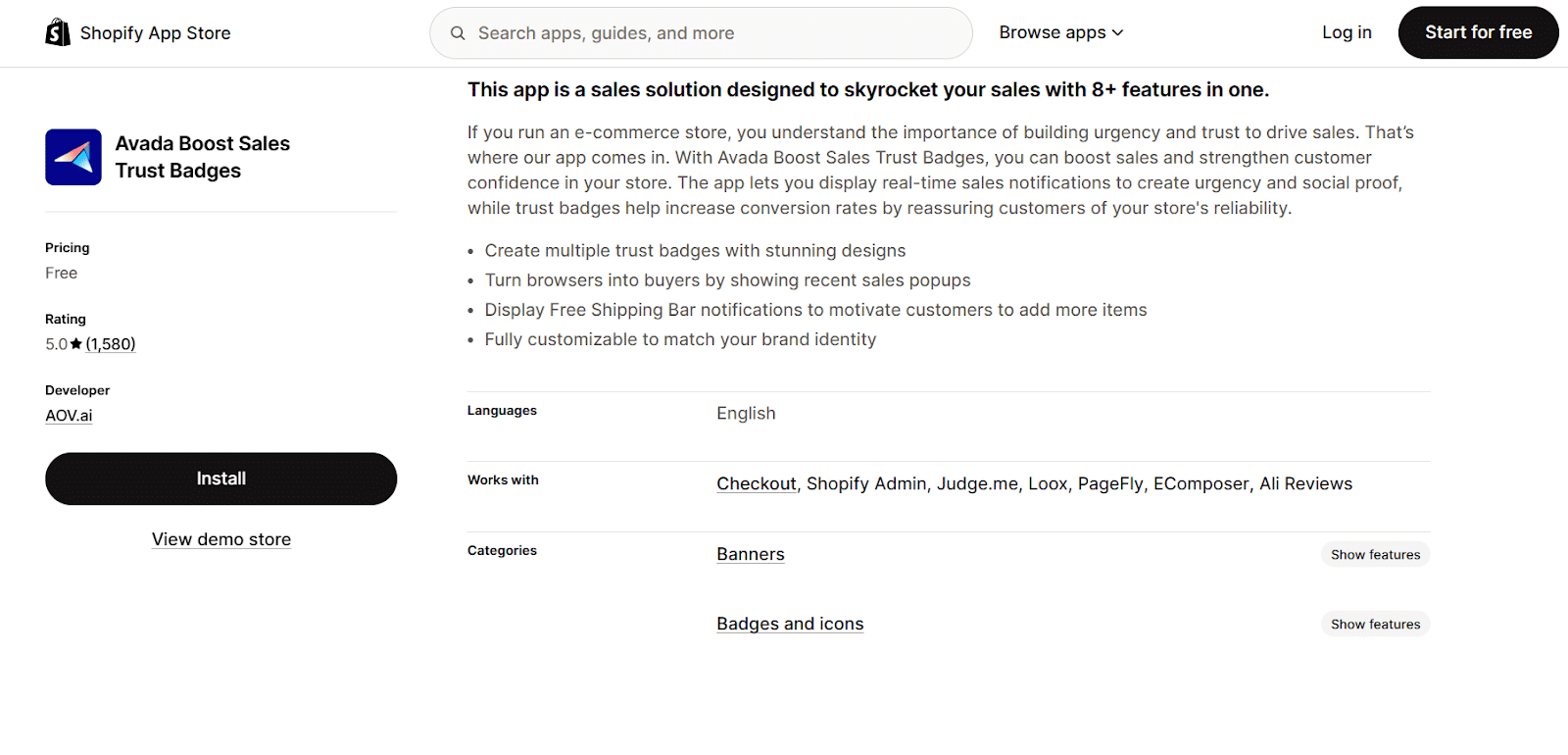
Avada is a powerhouse in the Shopify ecosystem, and their Trust Badges app is widely respected for its flexibility and design quality. It is an excellent choice for store owners who want a polished, professional look without needing to code.
How It Functions as a “Trust Badge” Avada focuses on visual customization. It allows you to create badge layouts that look native to your specific theme, rather than looking like a generic add-on.
- Visual Consistency: Offers multiple styles (flat, colorful, monochrome) to match your brand guidelines.
- Mobile Optimization: Badges are automatically resized and optimized for mobile shoppers, which is critical since mobile commerce dominates traffic.
Features of the Free Plan
- Unlimited Badges: There are generally no strict limits on the number of badges you can display.
- Diverse Library: Access to certifications, payment icons, and shipping guarantees.
- Animation Effects: Simple animations to draw attention to guarantees (use sparingly).
Potential Challenges
- Design Overload: With so many options, it is easy to “over-design” and clutter your product page. Stick to a clean row of 4-5 relevant icons.
3. Trust Badge Master by HulkApps

HulkApps is a known developer of reliable Shopify utilities, and their Trust Badge Master app is a staple for many stores. It is designed for simplicity and ease of use, making it perfect for beginners who want to get set up in minutes.
How It Functions as a “Trust Badge” This app is straightforward: it helps you display payment and security badges to reassure customers that their transaction is safe.
- Security Focus: Specializes in “Dual Color” and standard security badges that are instantly recognizable.
- Global Reach: Includes payment badges for regional payment methods, which is vital if you sell internationally.
Features of the Free Plan
- Regular Updates: The badge library is updated frequently to include new payment providers (e.g., Apple Pay, Klarna, Afterpay).
- Custom Tooltips: Add hover text to your badges to provide more context (e.g., hovering over a “Free Shipping” badge shows “On orders over $50”).
- No Coding Required: Uses a simple drag-and-drop interface.
Potential Challenges
- Simplicity: Advanced users might find the customization options slightly less robust than Avada, but for most stores, it is more than sufficient.
4. Free Trust Badge (by ShopClimb)
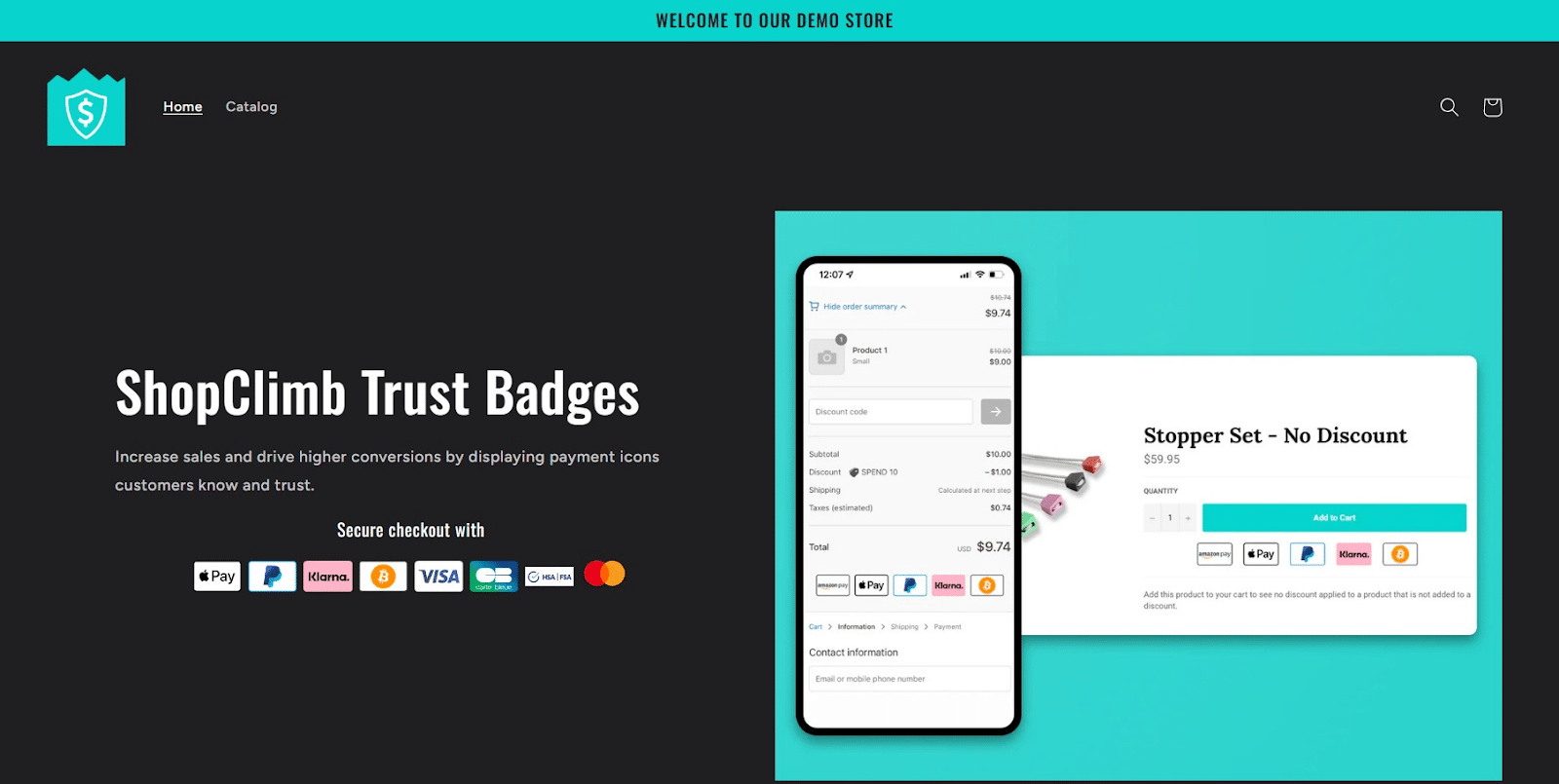
“Free Trust Badge” is a dedicated app that performs one specific function extremely well: displaying payment icons. It is a popular “set it and forget it” solution.
How It Functions as a “Trust Badge”
- Displays Logos: Instantly adds Visa, Mastercard, PayPal, and “SSL Secured” logos to your pages.
- Provides Familiarity: Leverages the brand equity of major payment processors to build trust for your store.
Features of the Free Plan
- Curated Library: Access to hundreds of payment provider badges.
- Geolocation: (Limited in free/basic) Can show relevant badges based on the user’s location.
- Responsive Design: Badges scale correctly for tablets and smartphones.
Step-by-Step Setup
- Install: Search “Free Trust Badge” in the Shopify App Store.
- Select: Choose the badges that match the payment gateways you have enabled in your Shopify settings.
- Activate: Toggle the “Enable” switch. The app usually auto-injects the code near your “Add to Cart” button.
Potential Challenges
- Placement Conflicts: Occasionally, the auto-placement might conflict with custom themes, requiring you to manually adjust the position in the Theme Editor.
5. SEOAnt ‑ Trust Badges & Icon
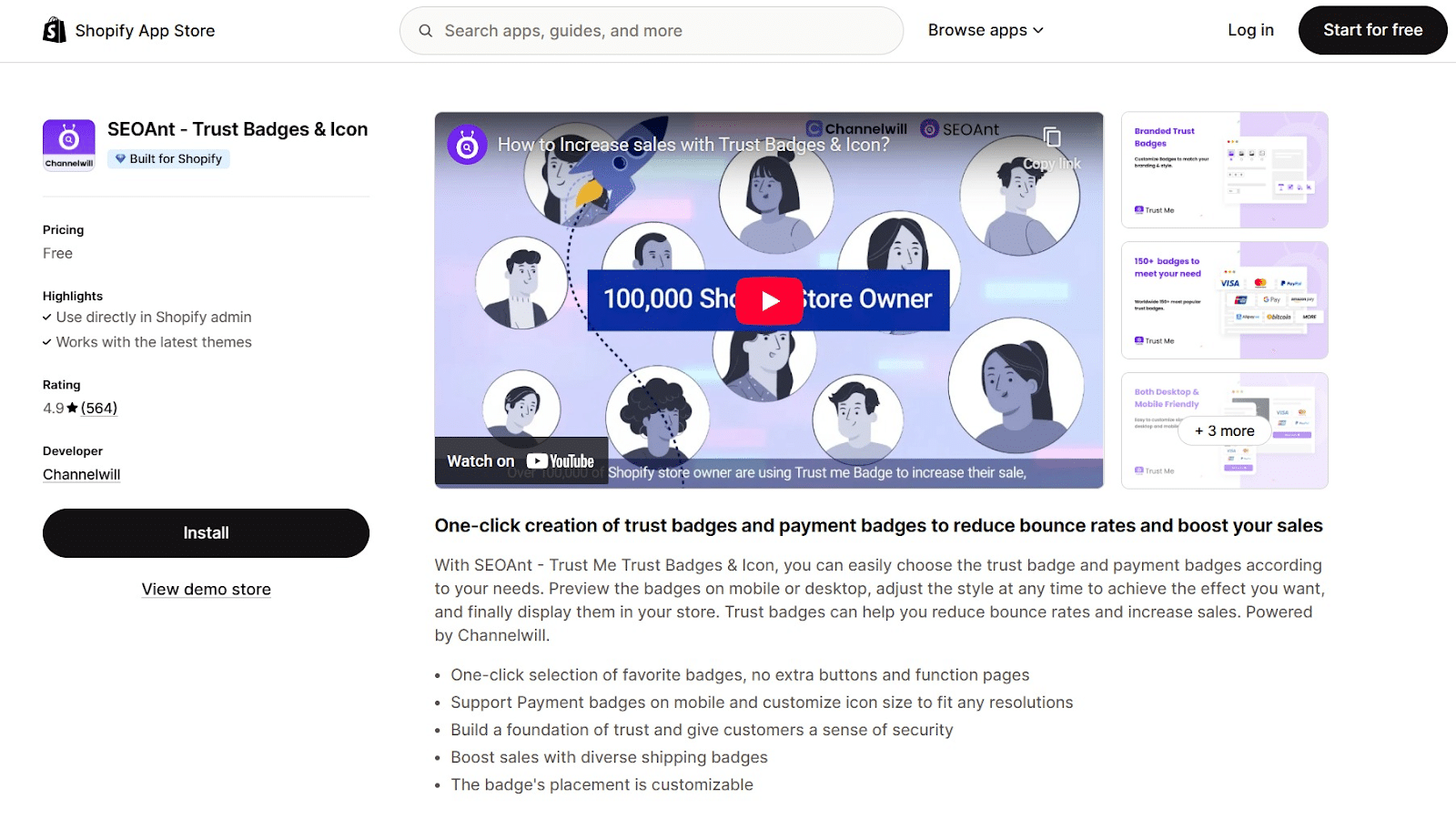
SEOAnt provides a comprehensive suite of tools, and their Trust Badges module is excellent. It offers extensive customization features and different visual styles to match high-end store aesthetics.
How It Functions as a “Trust Badge”
- High-Res Icons: Focuses on providing crisp, high-resolution SVG icons that look sharp on retina displays.
- Custom Text: Allows you to add headers like “Guaranteed Safe Checkout” easily above the icons.
Features of the Free Plan
- One-Click Install: Works natively with Shopify 2.0 themes.
- Drag and Drop: You can place the badge block anywhere on the product page using the visual editor.
- Size Control: Easily adjust the size of the icons to ensure they don’t dominate the page.
Potential Challenges
- Suite Upsell: As part of a larger suite of SEO tools, you may see prompts to explore their other paid services, though the badge functionality itself remains free.
Beyond the Apps: A Holistic Strategy for Building Trust
Installing these apps is an important step, but trust is built across your entire customer experience. To make your badges effective, they must be part of a larger strategy.
Optimize Your Product Descriptions
Trust isn’t just about security; it’s about meeting expectations. Write descriptions that accurately explain the product’s features, size, and materials. Transparency is a massive trust-builder.
Create a Clear “About Us” Page
Shoppers want to know who they are buying from. An “About Us” page with your story, mission, or team photos humanizes your brand. It separates you from the faceless “churn and burn” stores that consumers are wary of.
Secure Your Site with SSL
This is non-negotiable. Your store must have an active SSL certificate (the padlock icon in the browser). Shopify provides this for free on all plans, so ensure it is active.
How Yotpo Helps
While static badges handle the “security” conversation, Yotpo drives the “desire” conversation. By collecting detailed reviews and Smart Prompts—which are 4x more likely to capture high-value topics like fit and quality—Yotpo turns your past customers into your sales team. Integrating Yotpo Reviews ensures that when a customer sees your security badges, they also see the social proof needed to click “Buy.”
Conclusion
In 2026, a profitable Shopify store was built on a foundation of trust. While standard security badges are a necessary baseline, they are no longer sufficient on their own. The modern shopper demands authenticity.
The best strategy is a layered approach. Start with a best-in-class reviews solution like Yotpo Reviews to build dynamic, authentic social proof. Then, supplement that with a dedicated badge app like Avada or HulkApps to handle technical security objections. When you combine the voice of the customer with clear security guarantees, you create a store that converts.
FAQs: Shopify Trust Badge Apps
1. What is the single most important trust badge?
The most impactful “badge” is a high star rating from verified reviews. While payment logos are necessary, star ratings actively convince a user to buy.
2. Where should I place trust badges?
Place them at high-friction decision points: immediately under the “Add to Cart” button on product pages, inside the cart drawer, and in the site footer.
3. Do trust badges really impact SEO?
Indirectly, yes. Trust badges reduce bounce rates, which is a positive signal to search engines. More importantly, review “badges” (star ratings) can appear in Google Search results (AI Overviews), directly improving your click-through rate.
4. Can I have too many badges?
Absolutely. A page with 15 different blinking seals looks like a scam site. Stick to 4-6 recognizables logos (e.g., Visa, Mastercard, PayPal, SSL, Free Shipping).
5. Are free trust badge apps secure?
Yes, the apps listed here are vetted by Shopify. They simply display images on your site and do not access your customers’ sensitive payment data.
6. How do I get Google to show my star ratings?
You need a reviews app that supports “Schema Markup.” Yotpo Reviews automatically formats your data so search engines can read and display your stars in search results.
7. What is the difference between a trust badge and an SSL certificate?
SSL is the technology that encrypts your site (the HTTPS protocol). A trust badge is the visual graphic you display to tell customers that security is in place.
8. Should I design my own trust badges?
Generally, no. The value of a badge comes from external recognition. A customer trusts the “Visa” logo because they know Visa. A custom logo you made yourself carries less authority.
9. How do I handle a negative review?
Publish it and respond politely. A store with only 5-star reviews looks fake. A mix of reviews with professional responses shows you are a real business that cares about customer satisfaction.
10. Do I need a developer to install these?
No. All the apps listed above are “no-code” solutions. They use Shopify’s “App Embed” or block system, allowing you to drag and drop them into place using the Theme Editor.











 Join a free demo, personalized to fit your needs